
Look up a property and read its report
Search any New Zealand address and read its property report: how it looks, the official record, the site on a map and in 3D, and what it could become.
Search for the address
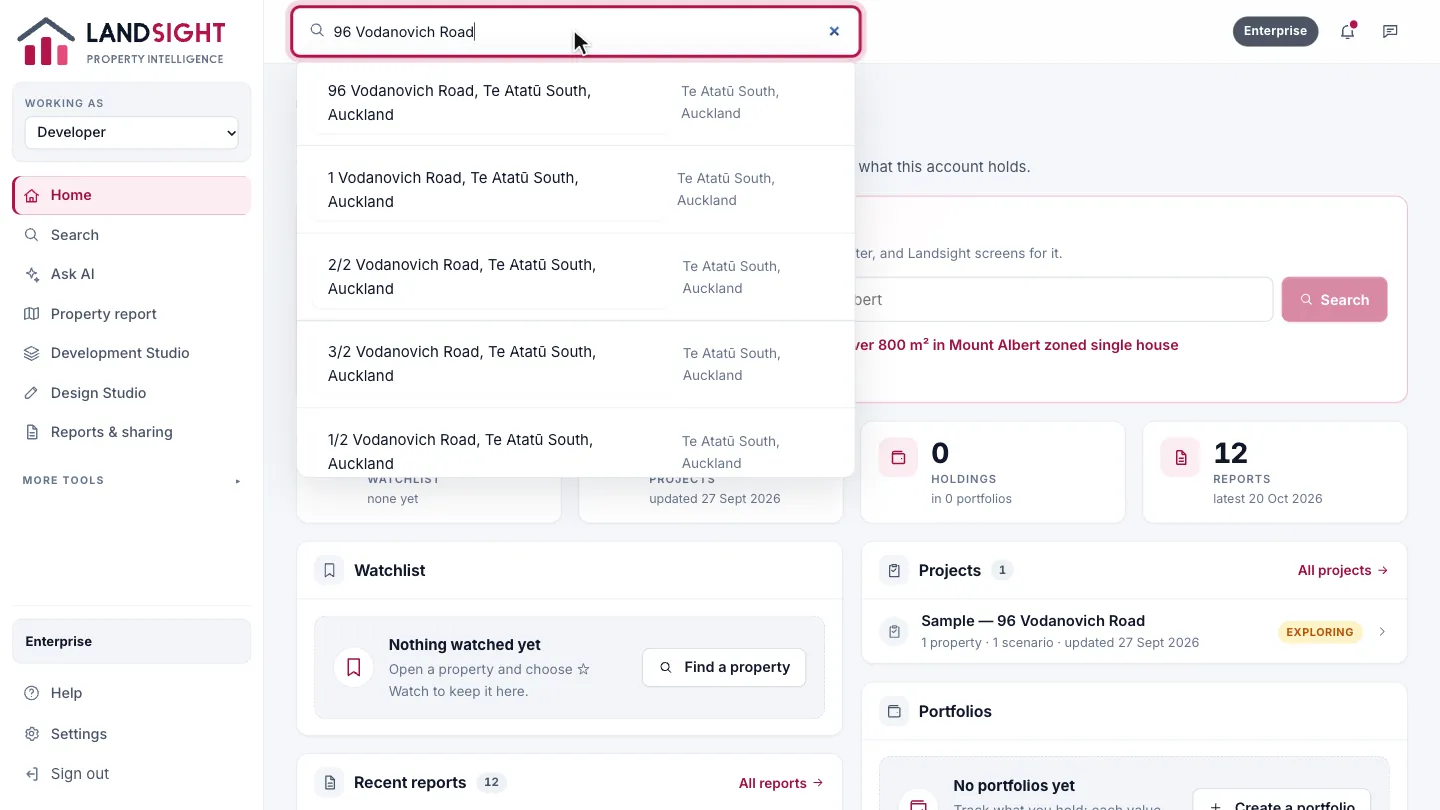
Type the address in the search bar and choose it from the list. Landsight searches the 2.4 million addresses in the LINZ register.
Read the essentials
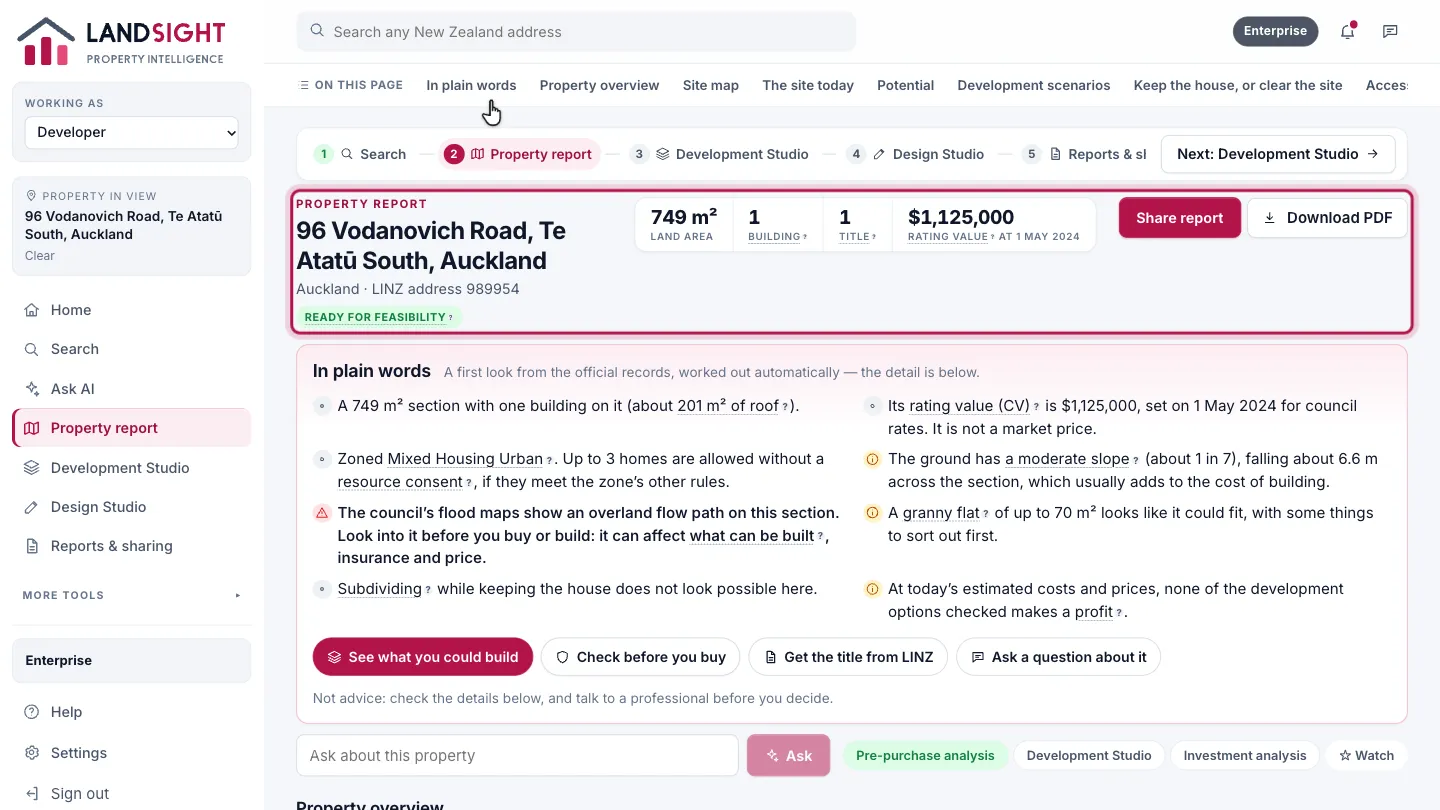
The report opens on the address with four figures beside it: the land area, the buildings mapped, the title, and the council’s rating value with its date — shown as exactly that, never as a price. Ask a question about the property in the box under it.
Read it in plain words
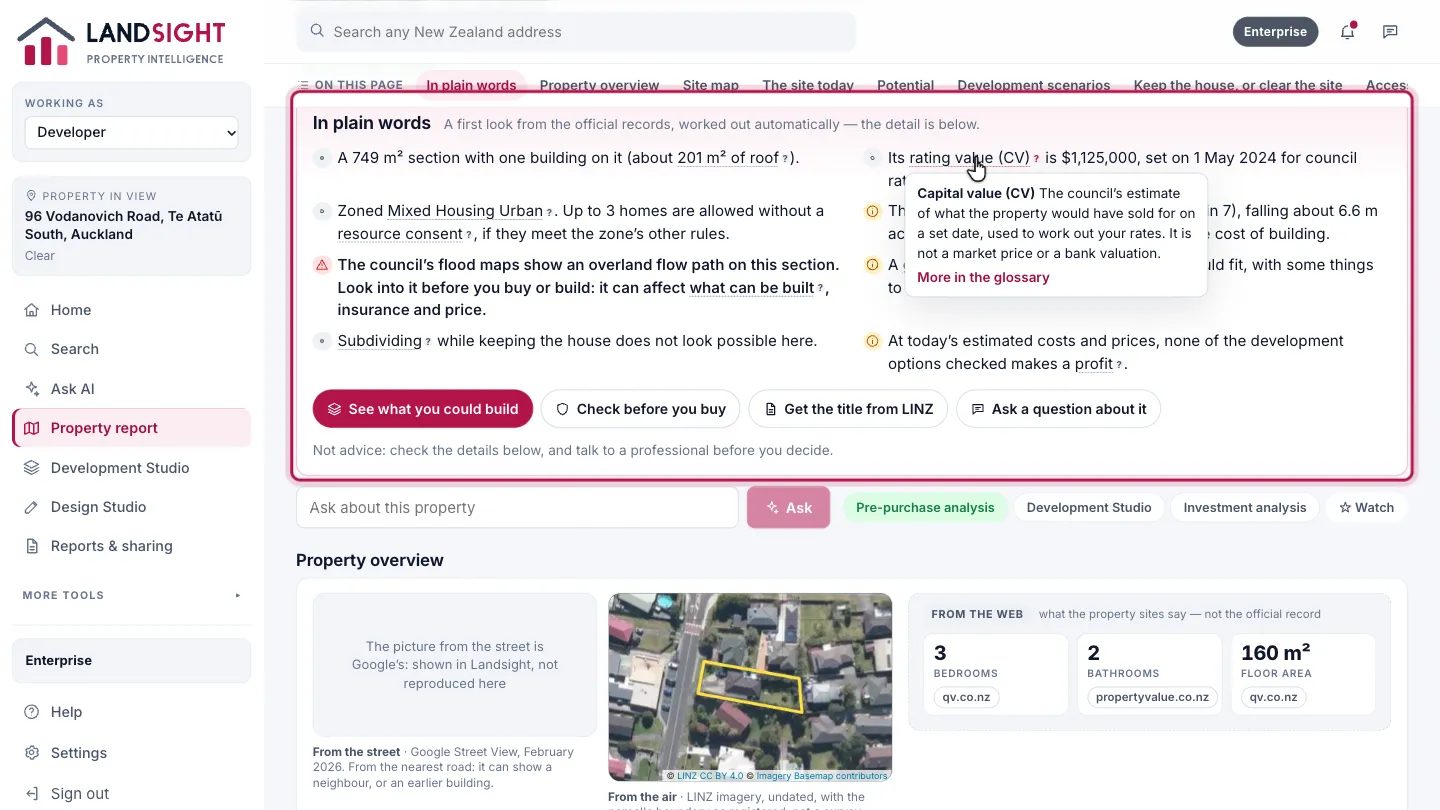
Under the address, a short summary says what the property is, what its rating value means, what the zone allows, how the ground lies, whether flooding is mapped, and whether a granny flat or more homes could fit. Tap any underlined word to have it explained, or open the glossary.
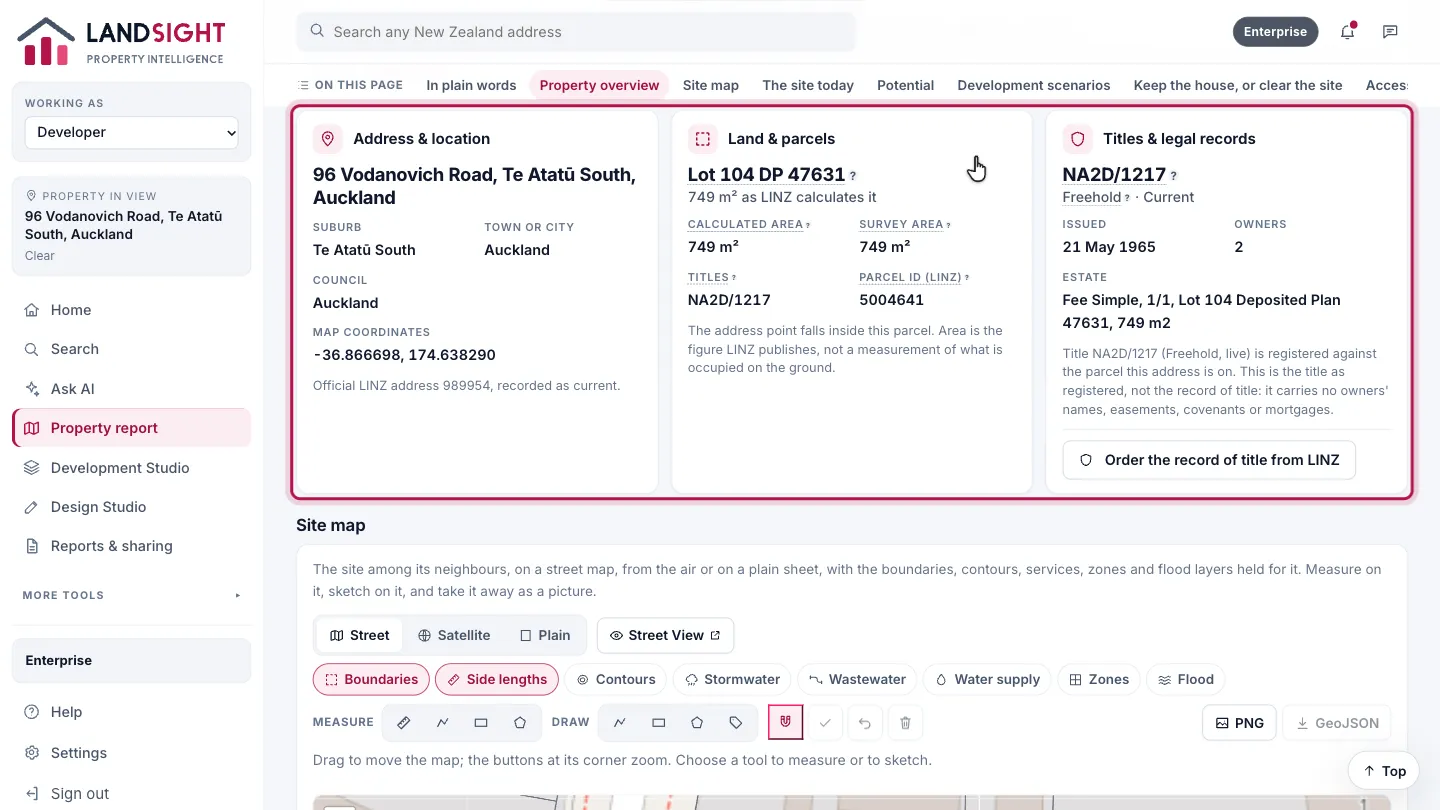
Property overview
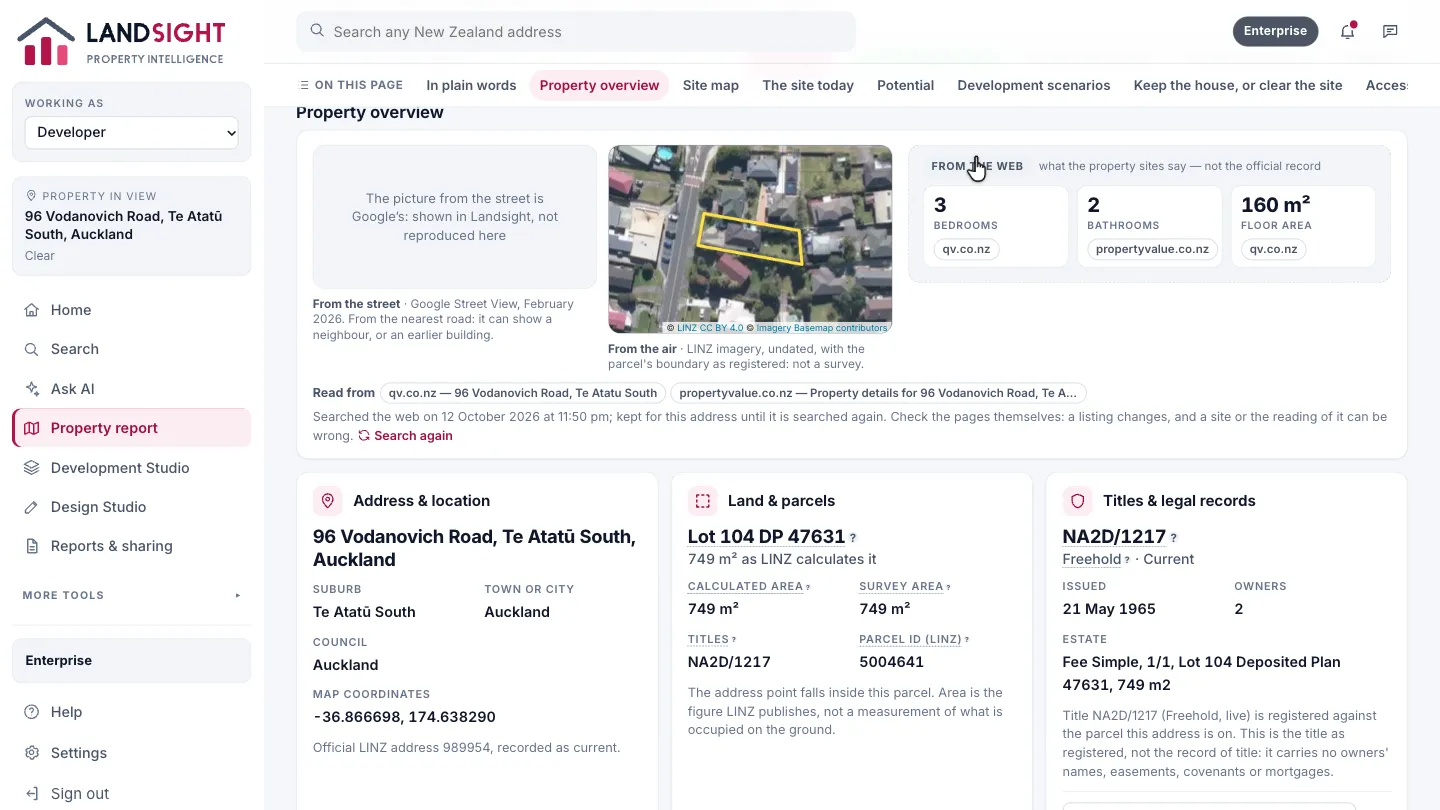
How the property looks from the street and from the air, with its boundary drawn, and what the property sites say of it — bedrooms, bathrooms, floor area, and whether it is listed for sale — each with the page it was read on. That part is the web’s, and is marked as the web’s, not the official record.
The record
The address, the land and the title, each from its official source. The rest of the record — the buildings, the council’s valuation and the ground — is further down the page.
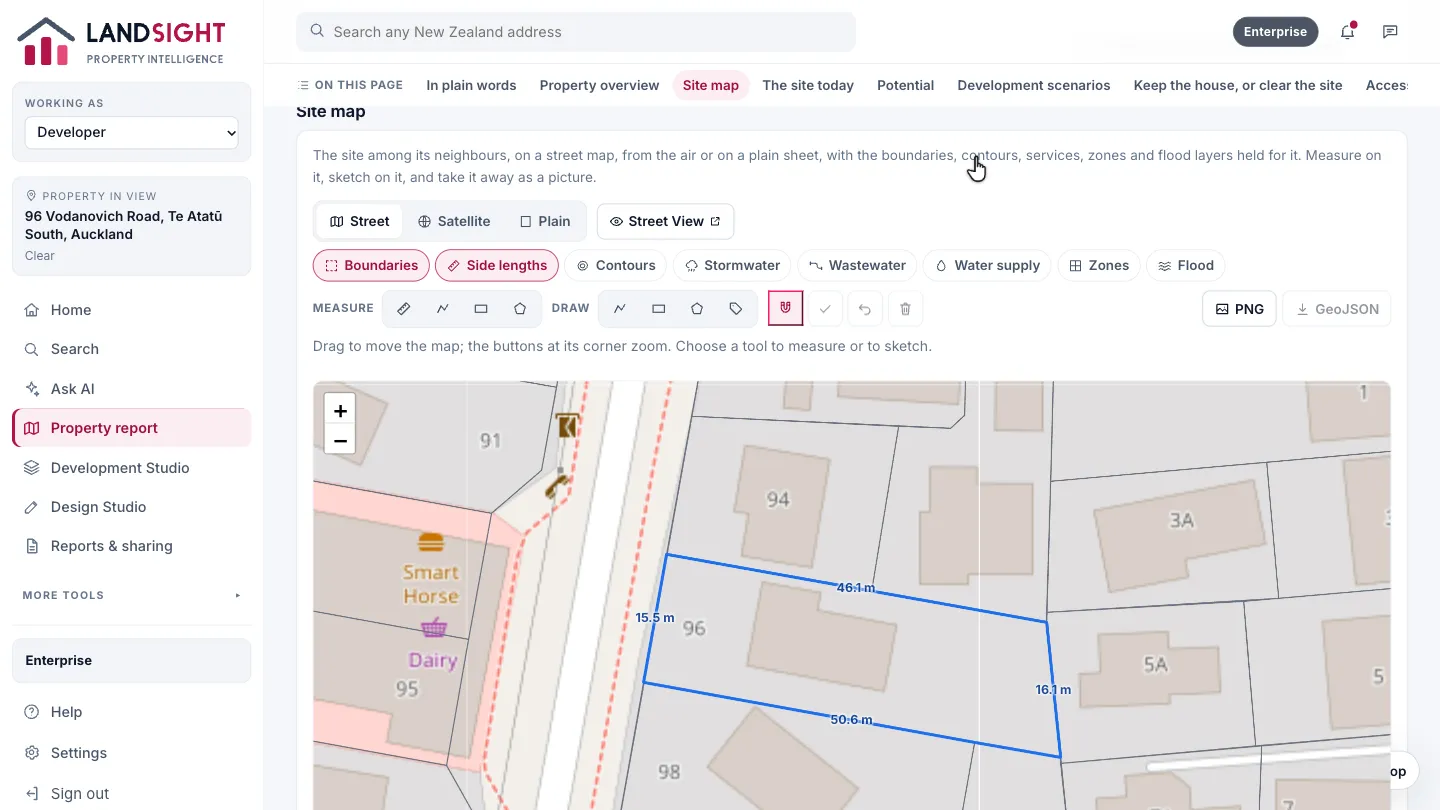
Site map
The site among its neighbours, on a street map, from the air or on a plain sheet, with each side of the parcel marked with its length. Switch on contours, services, zones and flood layers, measure on it and sketch on it.
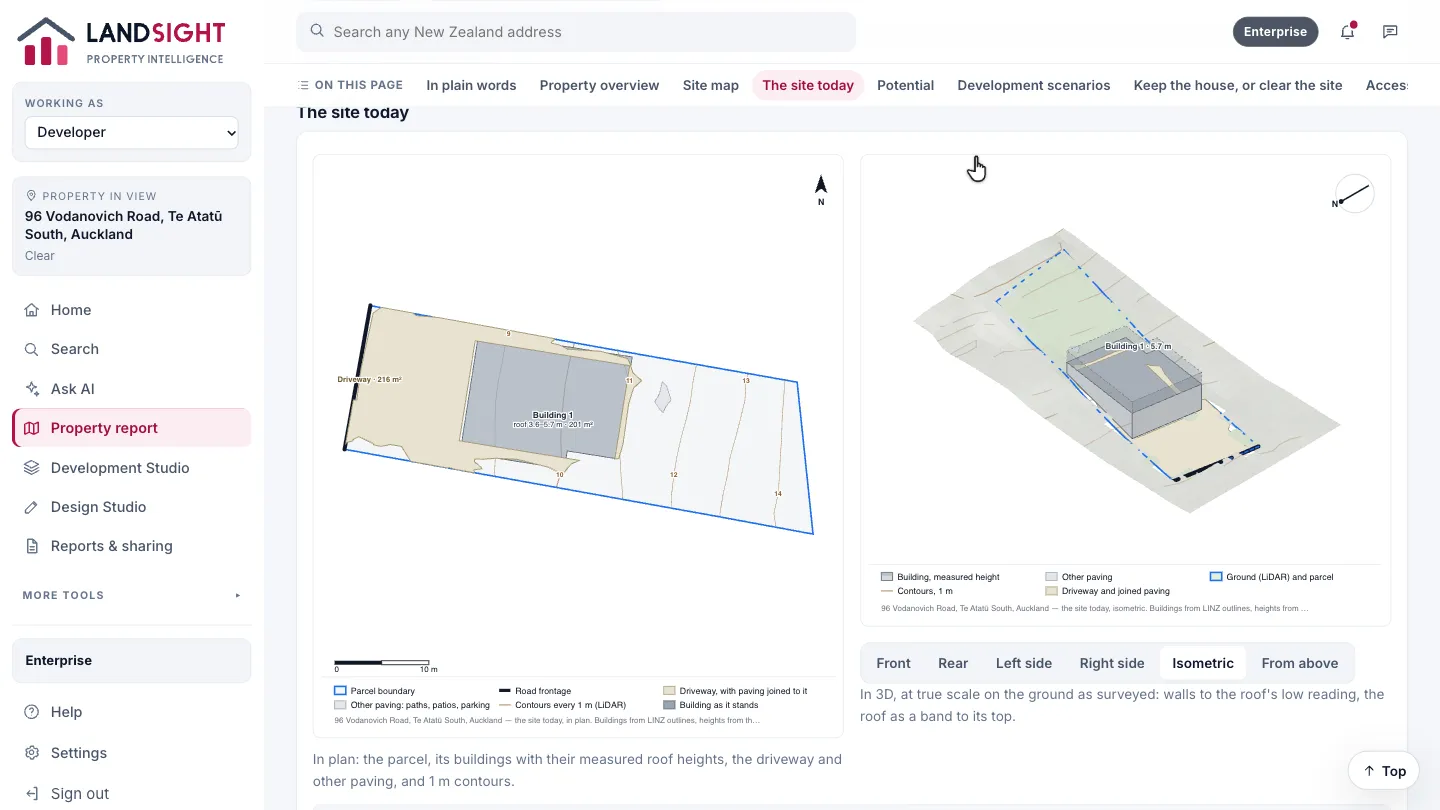
The site today
The site as the records show it: each building at the height the LiDAR survey measured, with the driveway, paving and 1 m contours.
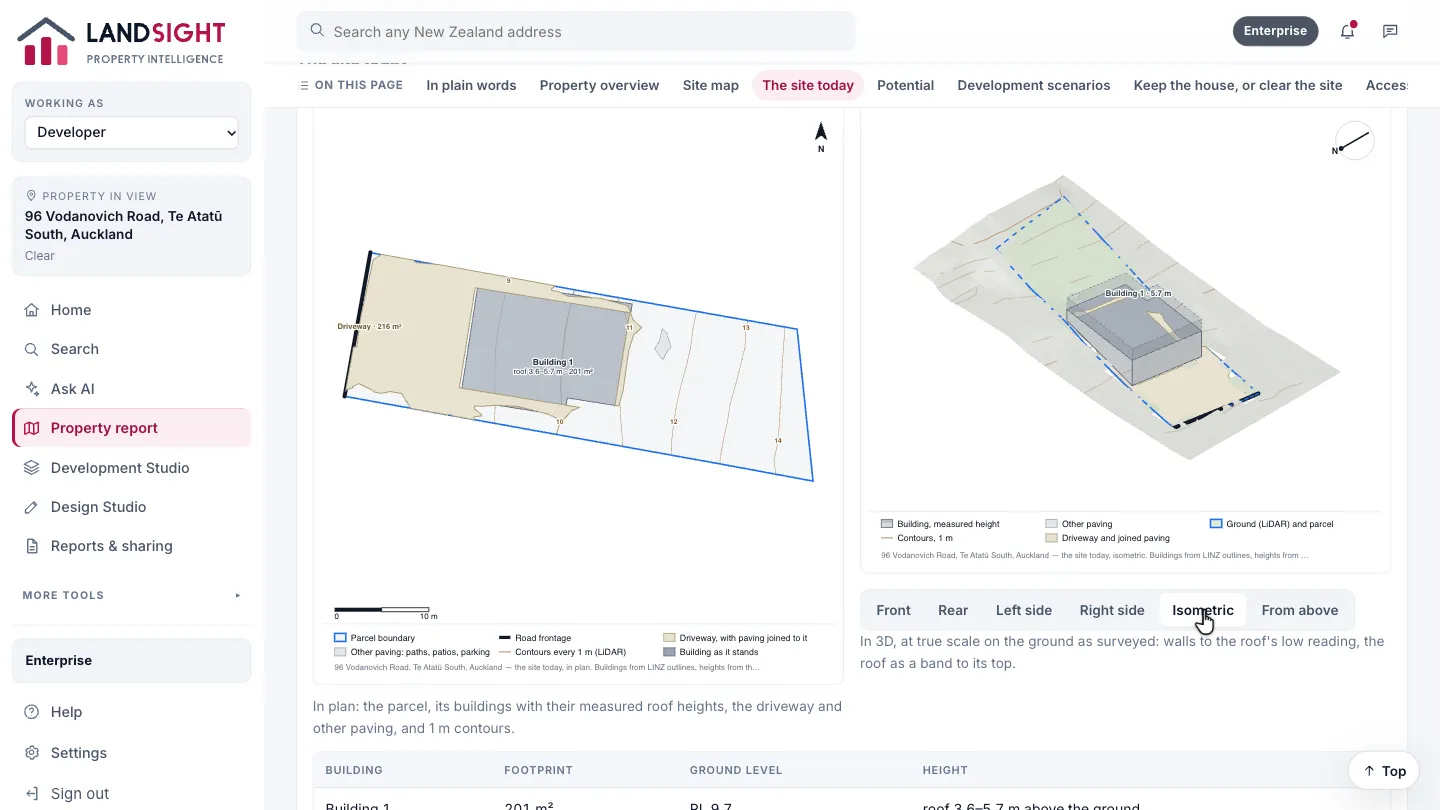
See it in 3D
The site at true scale on the surveyed ground. Choose Front, Rear, Left side, Right side, Isometric or From above.
Potential
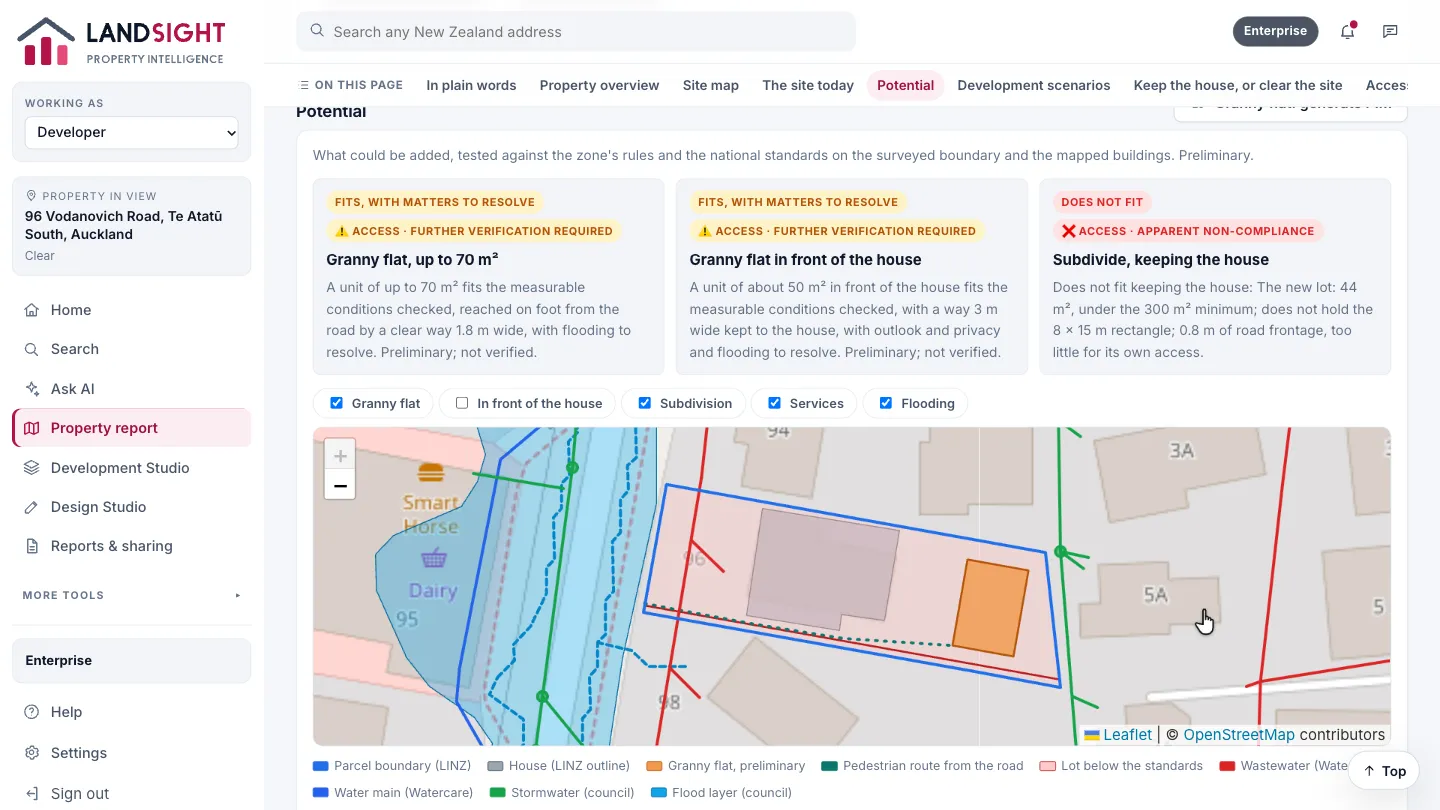
What could be added — a granny flat, or a subdivision keeping the house — tested against the zone’s rules on the surveyed boundary: what fits, what fits with matters to resolve, and what does not fit. It is preliminary, and says so.
Development scenarios
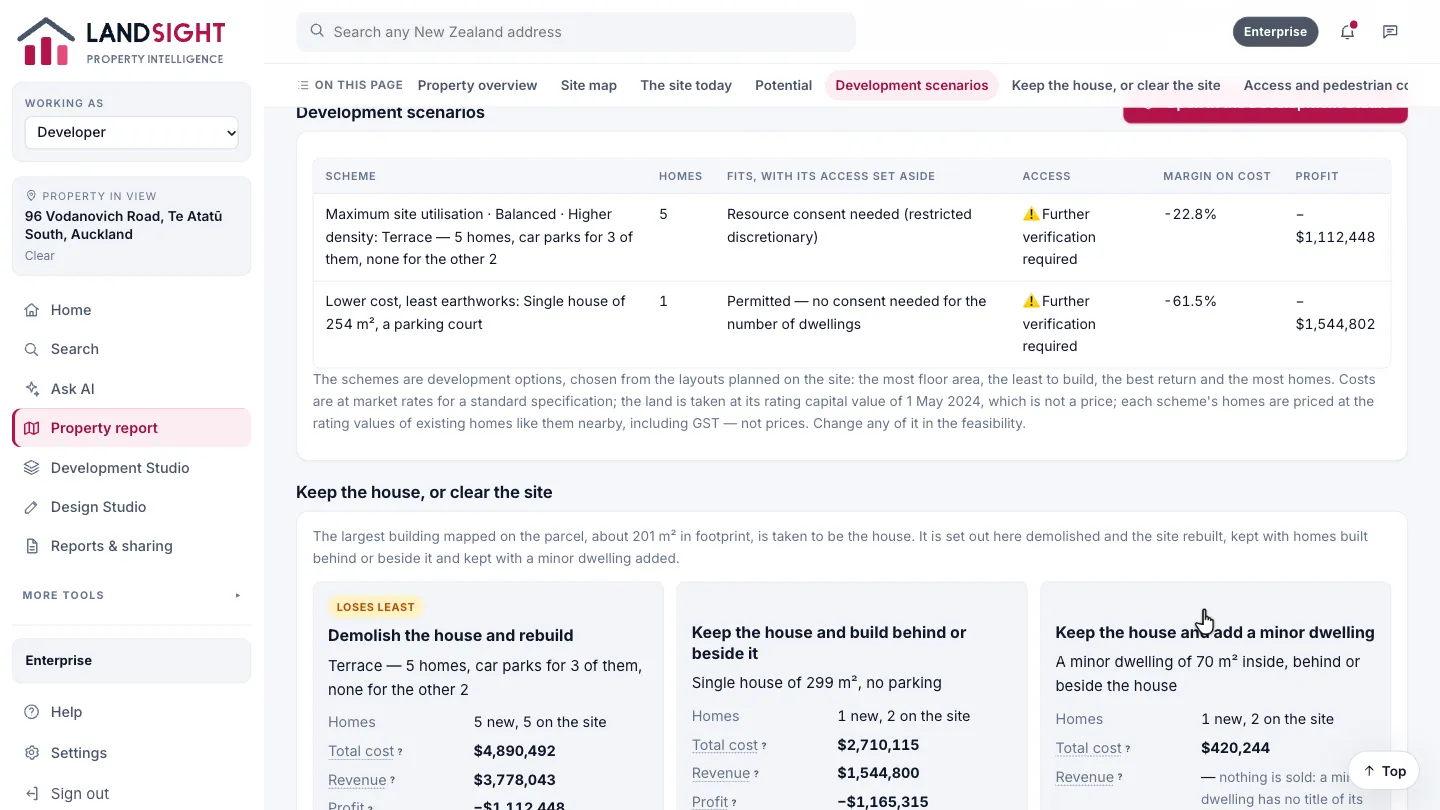
Schemes for the whole site, each with its homes, how it fits the site, margin and profit, costed at market rates with every assumption stated. Open in the Development Studio to change the scheme, the prices and the specification.
Which plans have it
Starter: two reports a day. Premium: no daily limit, with potential and scenarios. Enterprise: shared across a team.
Compare the plans