
Share a report or download it as a PDF
Share a property report by a link that anyone can open, send it by email or WhatsApp, or save it as a PDF.
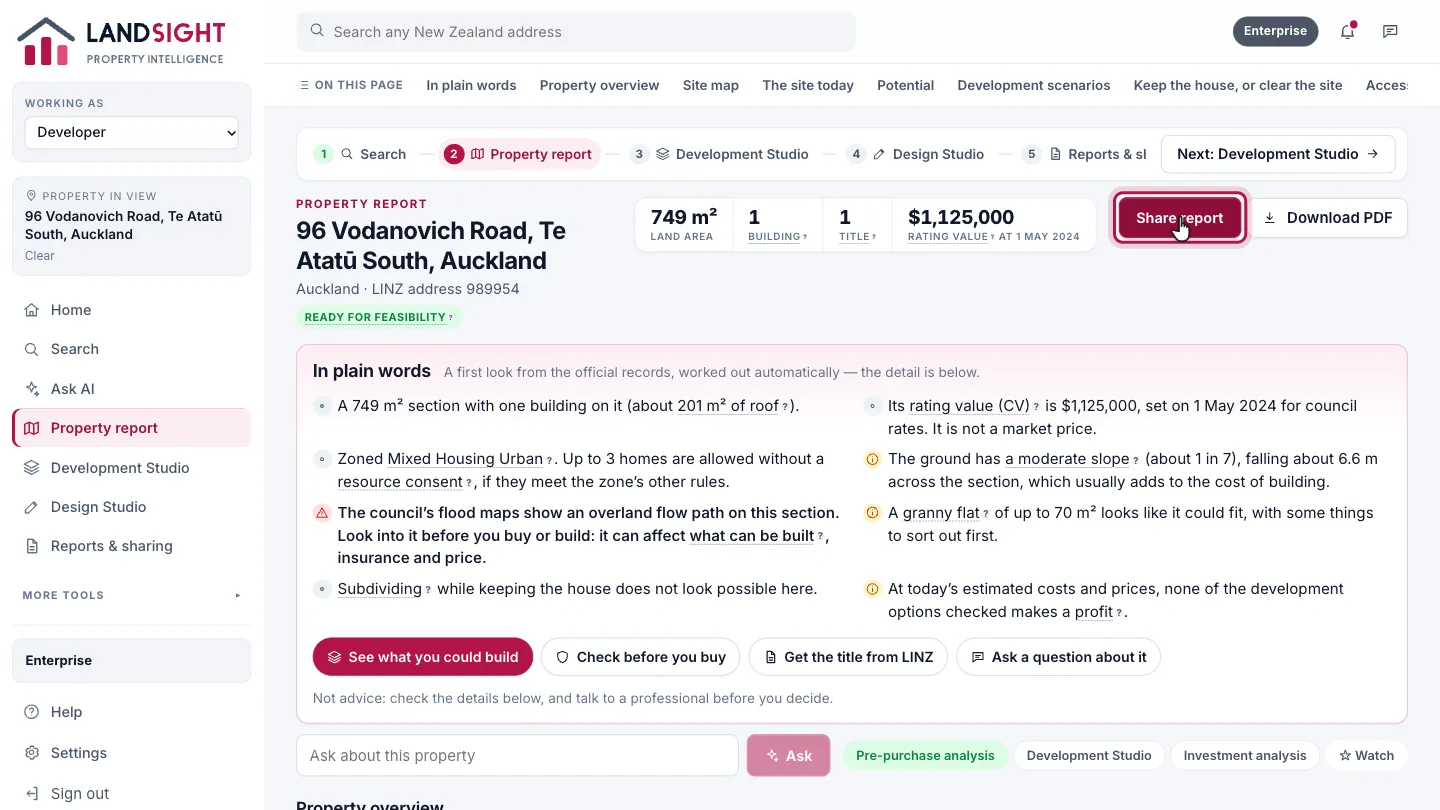
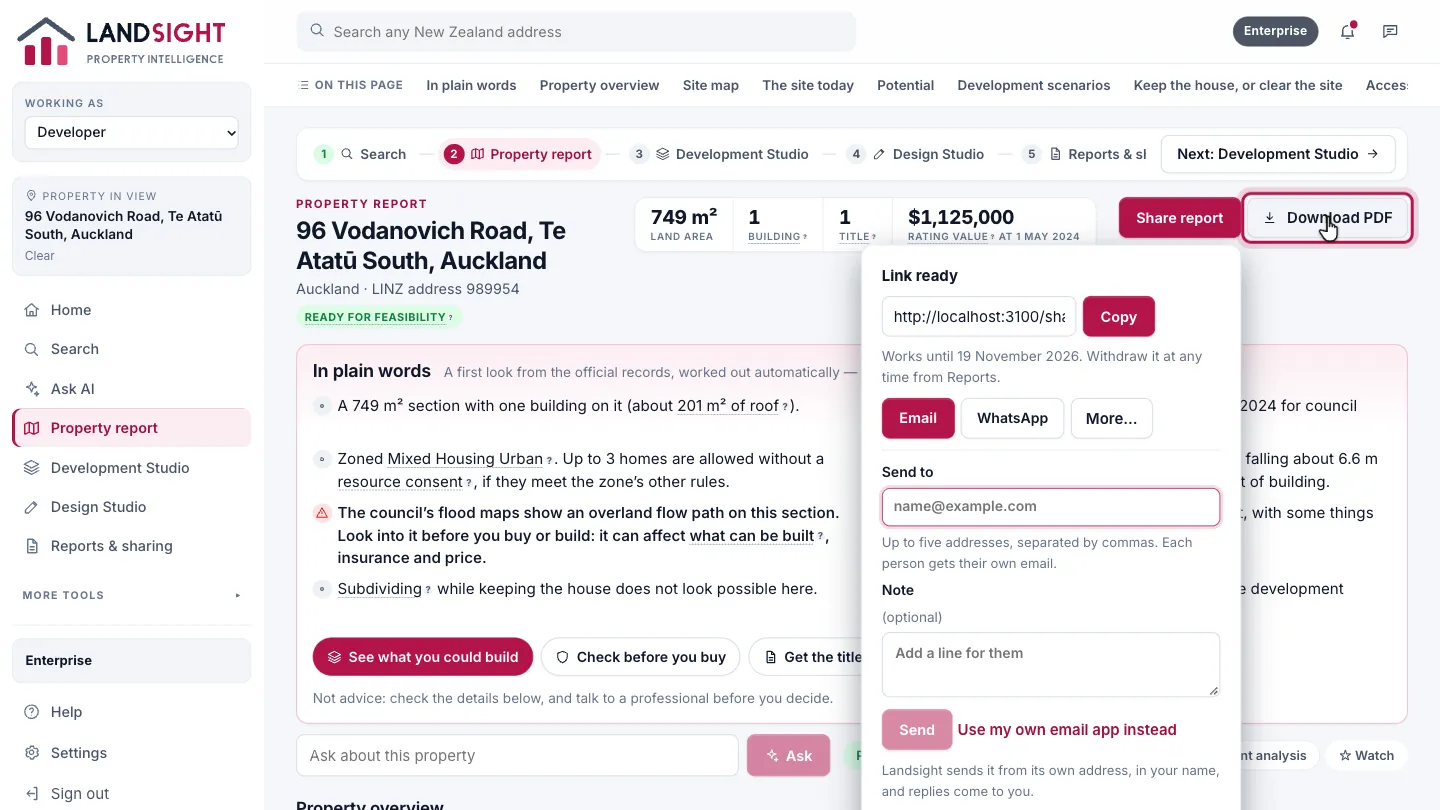
Choose Share report
Open the property’s report and choose Share report, at the top right.
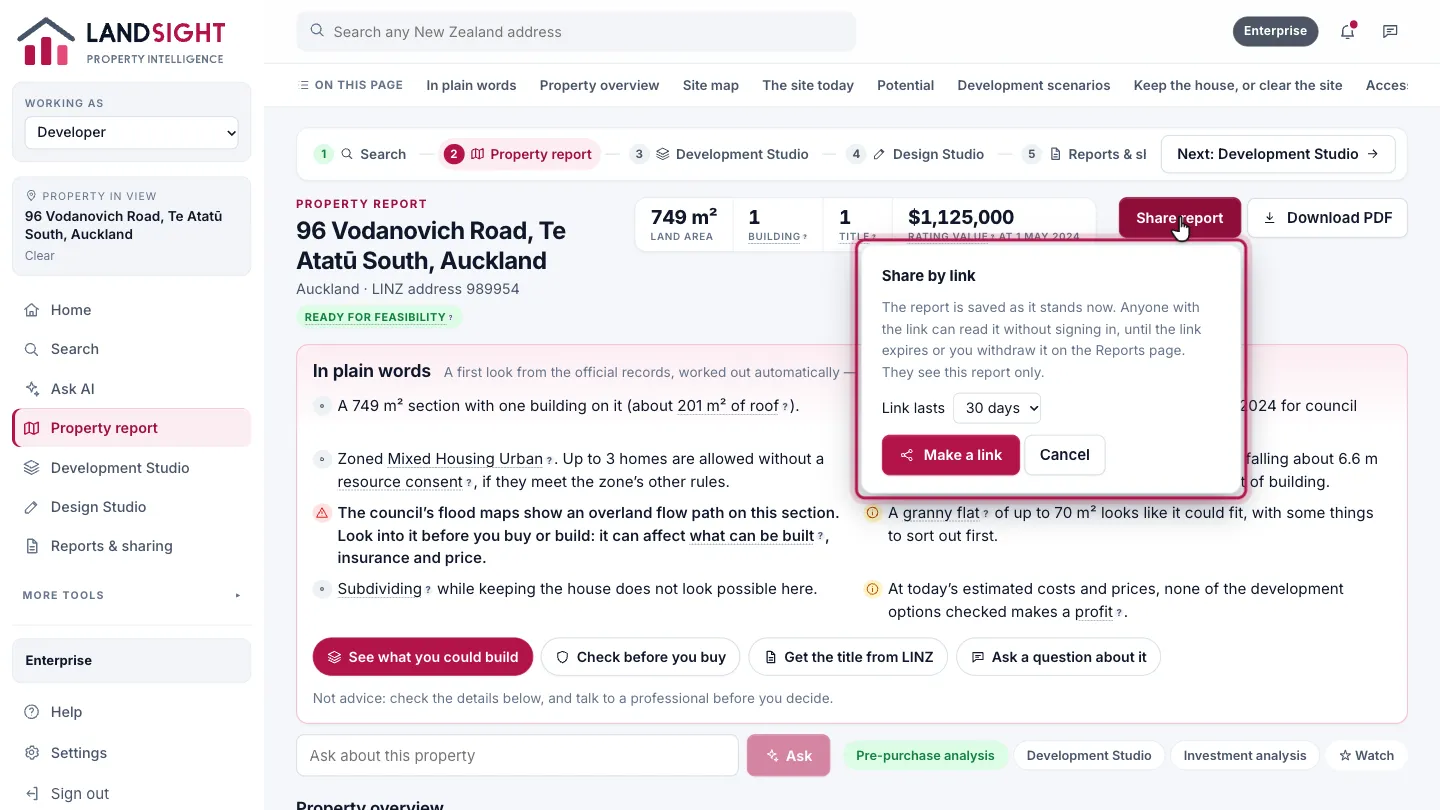
Make a link
Choose how long the link lasts, then Make a link. The report is saved as it stands now; anyone with the link can read it without signing in, until the link expires or you withdraw it from the Reports page. They see this report only.
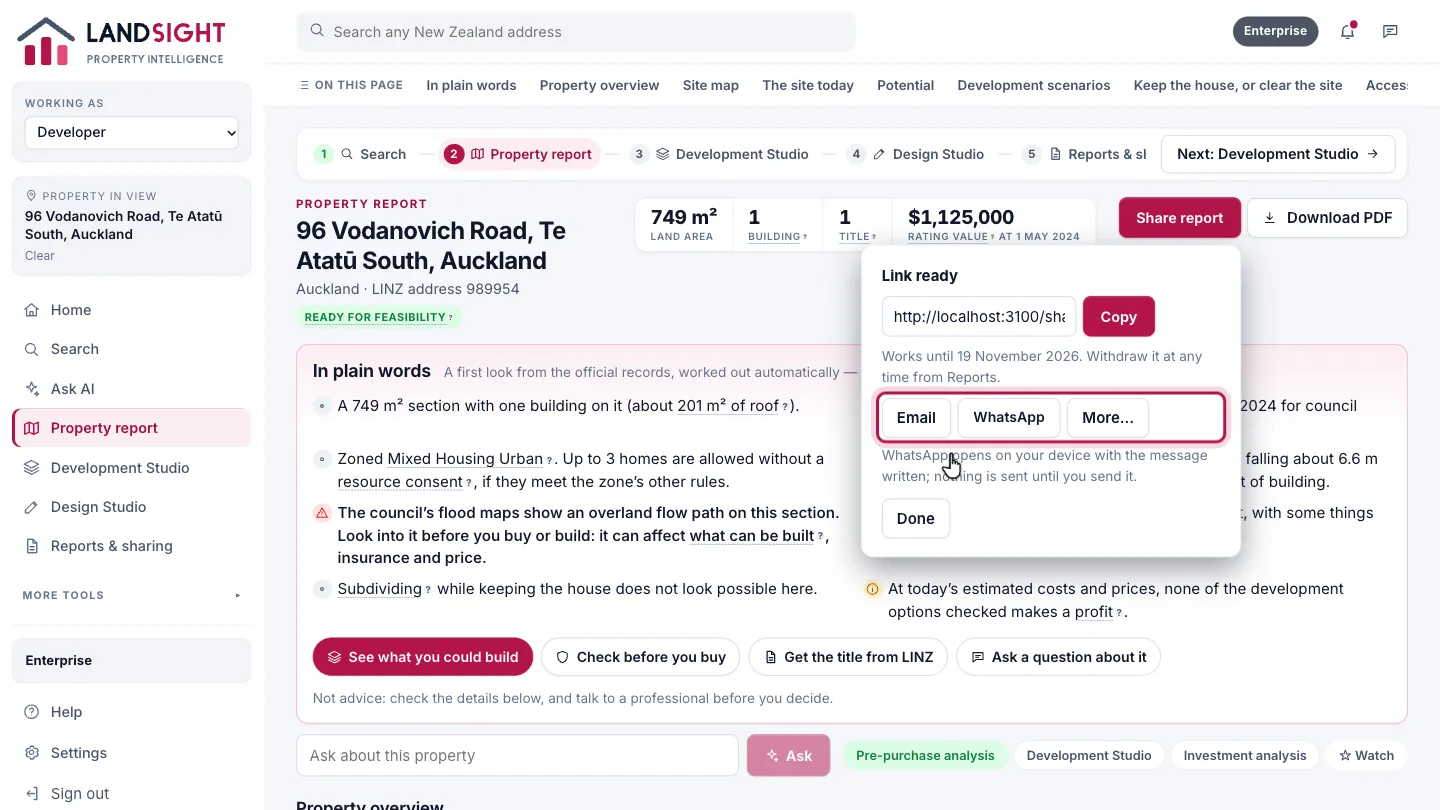
Send it
Email it from Landsight, or choose WhatsApp: it opens on your device with the message written, and nothing is sent until you send it.
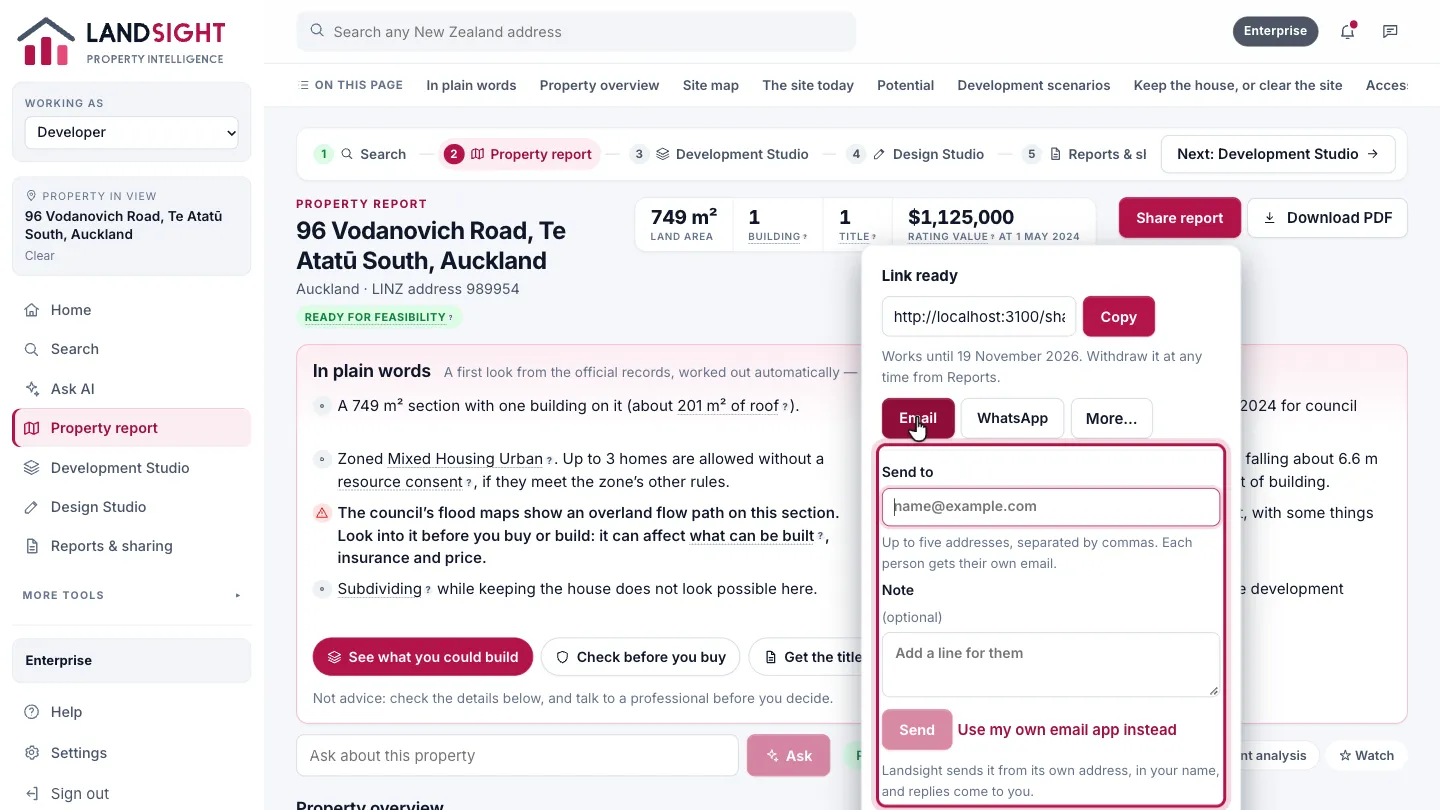
Email it
Up to five addresses, separated by commas, with a note if you like. Each person gets their own email, sent from Landsight in your name, and replies come to you.
Or download the PDF
Choose Download PDF to save the whole report as a PDF.
Which plans have it
Sharing and PDFs: every plan.
Compare the plans