
Order the record of title from LINZ
The record of title — the owners, and every interest registered on the land — is LINZ’s to sell. Landsight gives you what to ask for, takes you to LINZ, and keeps the PDF with the property.
Open it from the Titles card
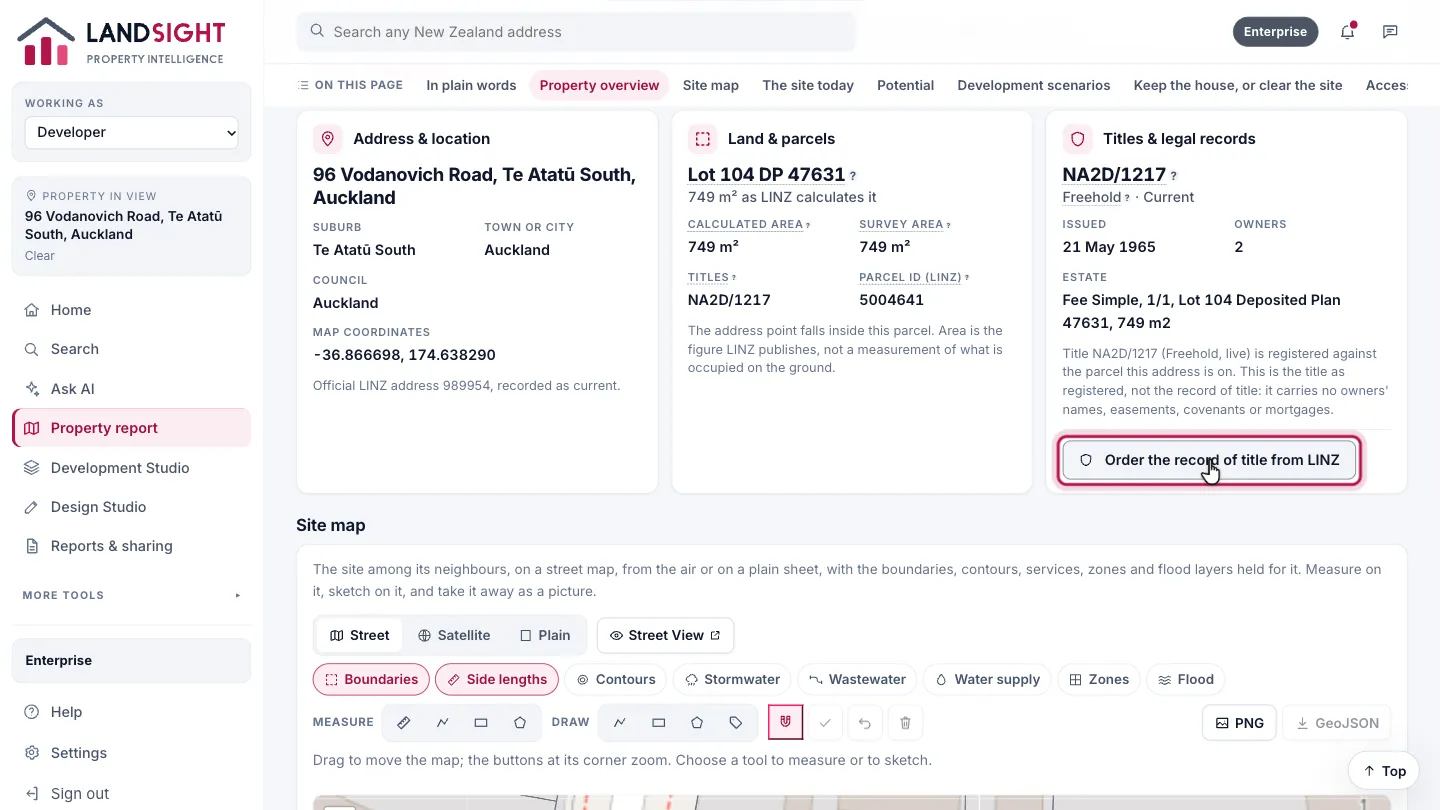
On the property’s report, the Titles & legal records card shows the title as registered. Choose Order the record of title from LINZ at its foot.
Copy the reference
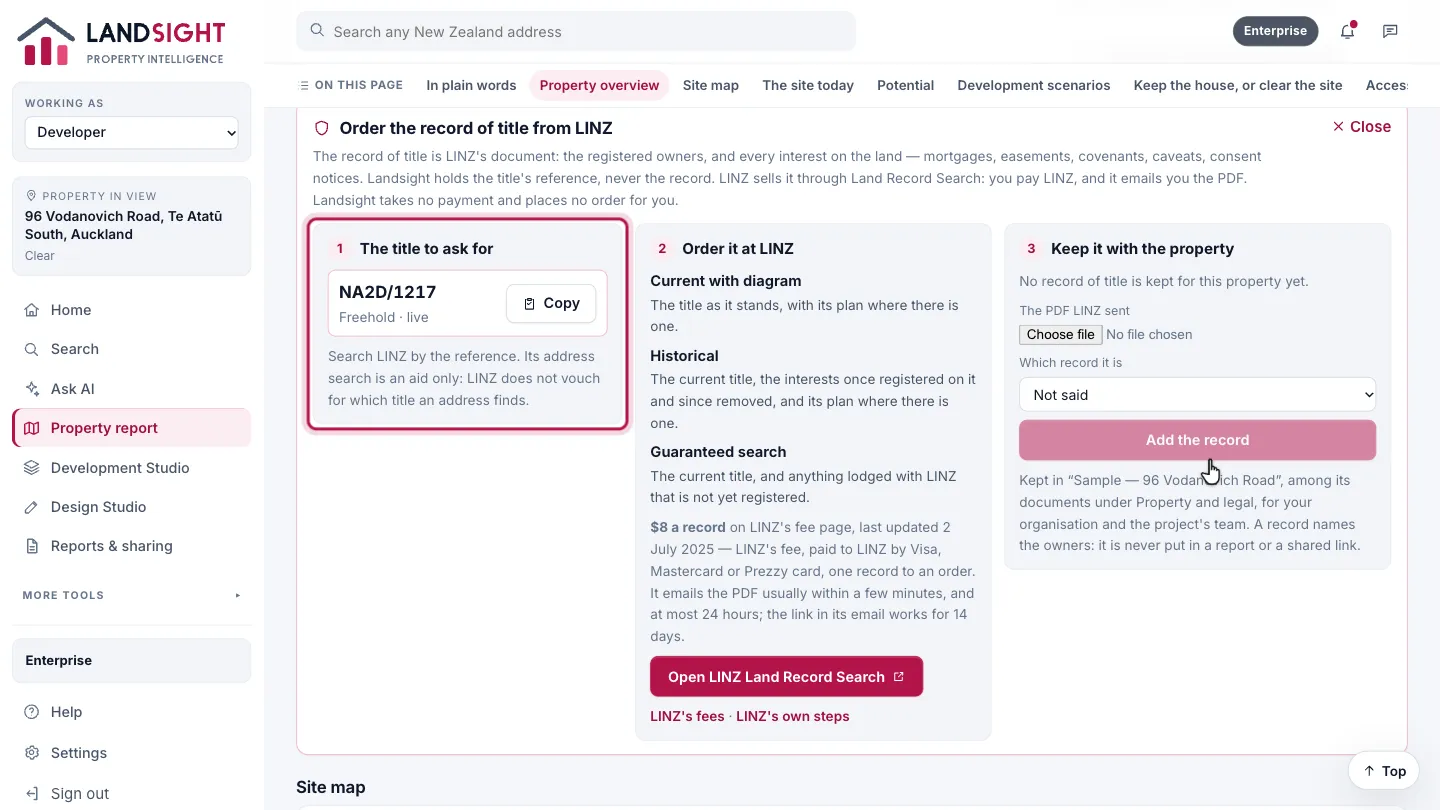
The title’s reference is what to search LINZ by: choose Copy. LINZ’s own address search is an aid only, and does not vouch for which title an address finds.
Order it at LINZ
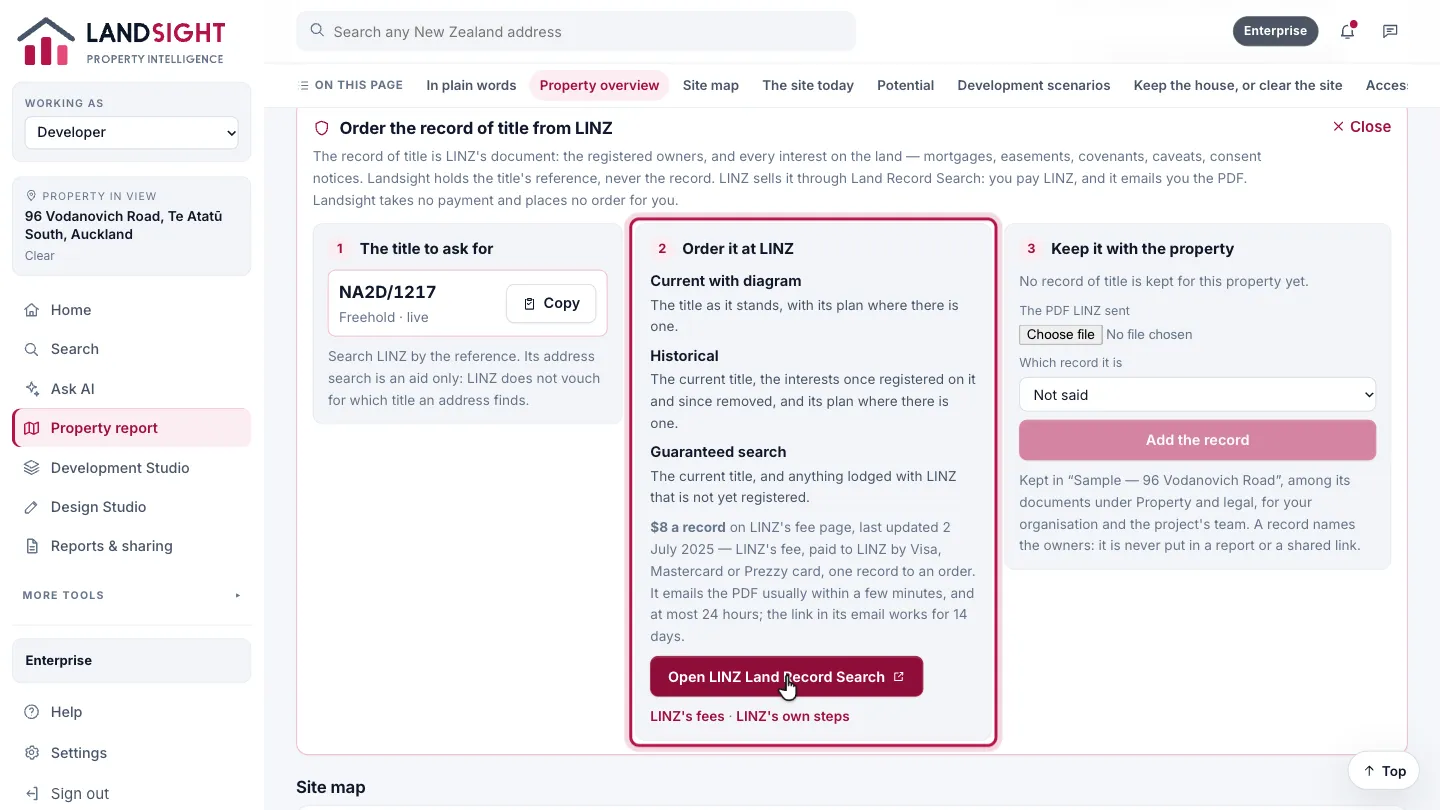
LINZ sells three records of a title — current with diagram, historical, and guaranteed search — through its Land Record Search, for its own fee, paid to LINZ by card. Choose Open LINZ Land Record Search, paste the reference and order there. LINZ emails the PDF, usually within minutes.
Keep it with the property
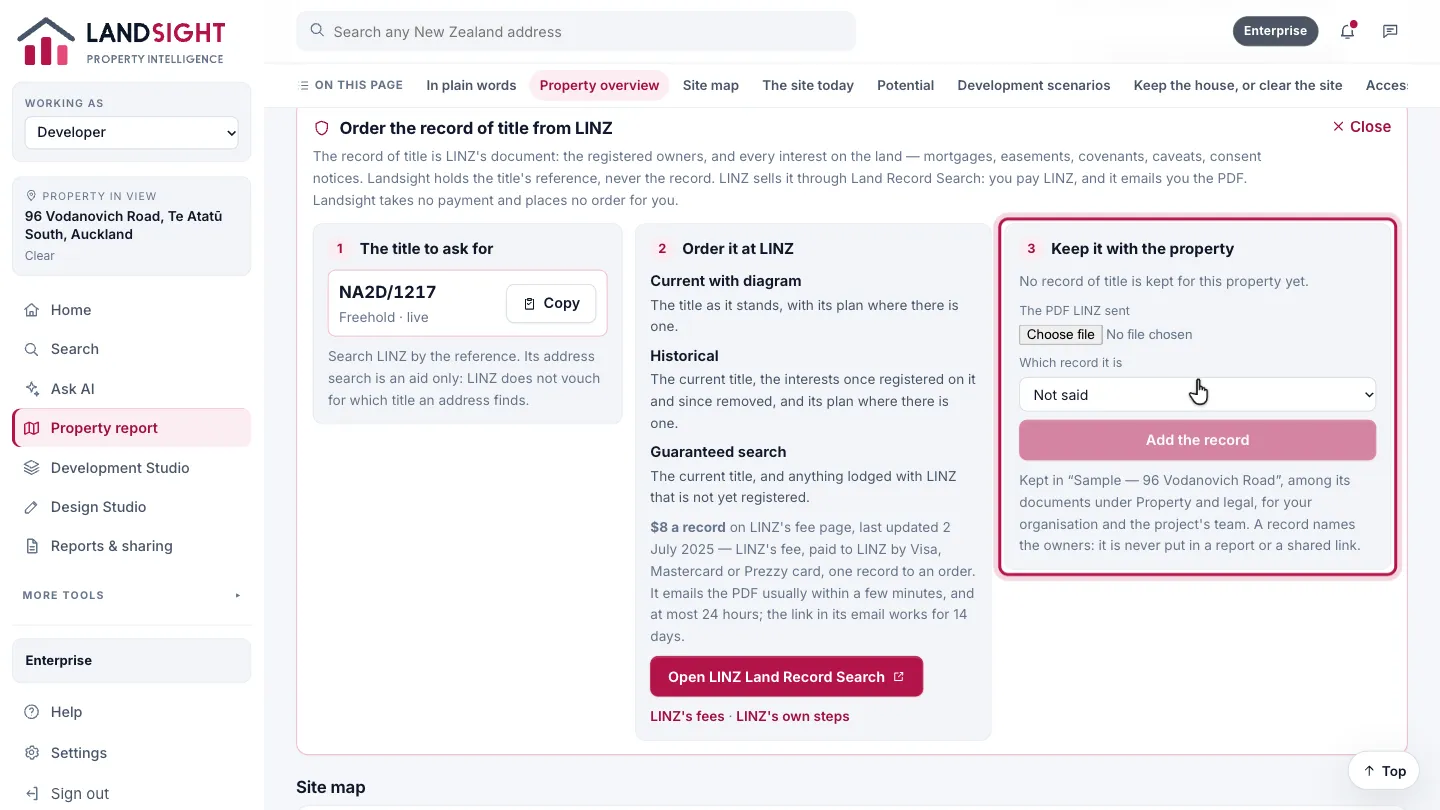
When LINZ’s email arrives, add the PDF here. It is kept in the property’s project as a Record of title, among its documents. A record already kept is shown with how old it is: it shows the title as it stood when LINZ produced it.
Which plans have it
The steps: every plan. Keeping the PDF with a project needs a plan with projects: Premium and Enterprise.
Compare the plans