
Follow the programme and manage tasks

The programme on a timeline, the critical path, tasks as a list, a board or a calendar, and compliance.

8 steps · 0:42 screen recording

  1. The programme

    Every development gets a programme, generated for how the site will be built, and approved as the baseline.
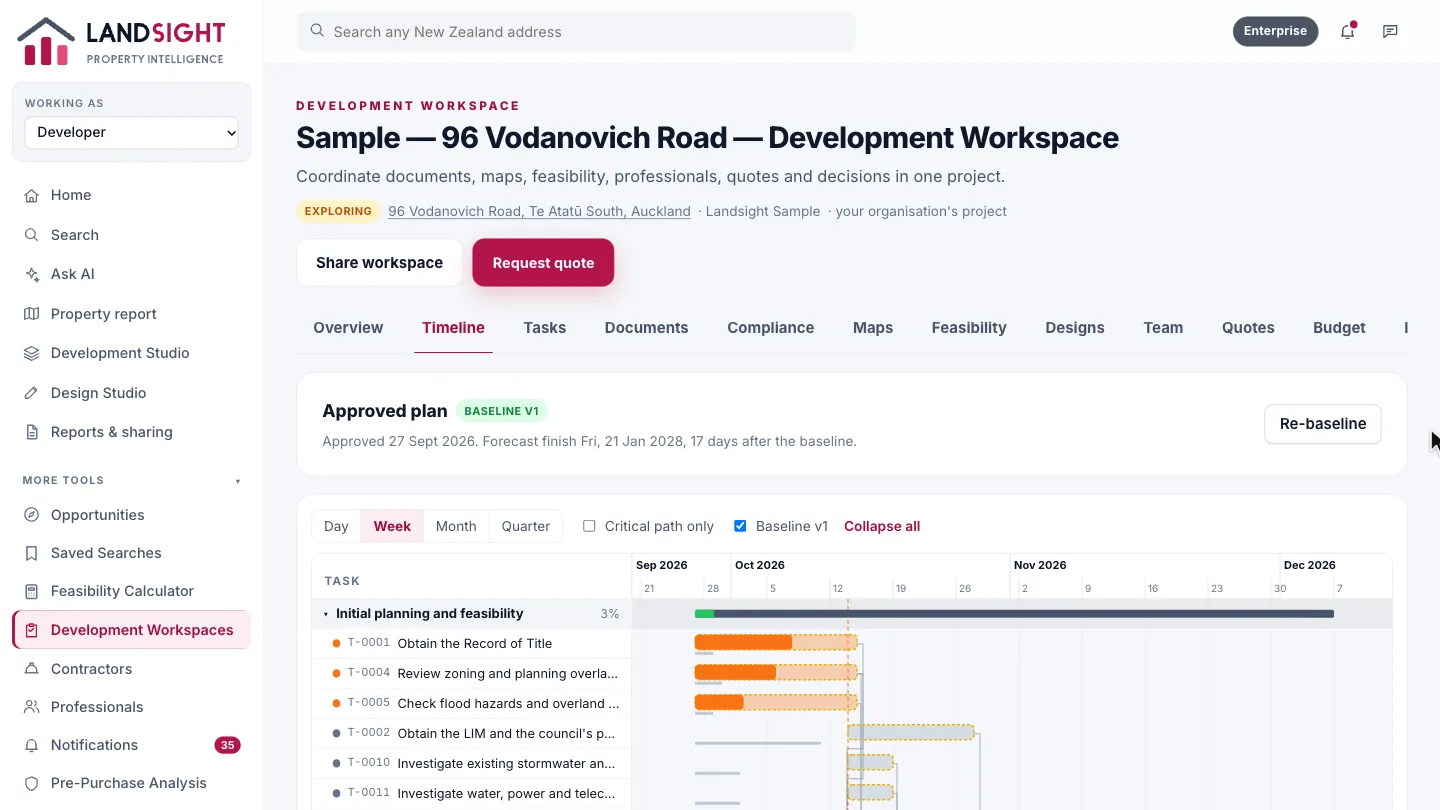
    Step 1: The programme. Every development gets a programme, generated for how the site will be built, and approved as the baseline.
  2. The timeline

    Stages, tasks and their dependencies, against the approved baseline.
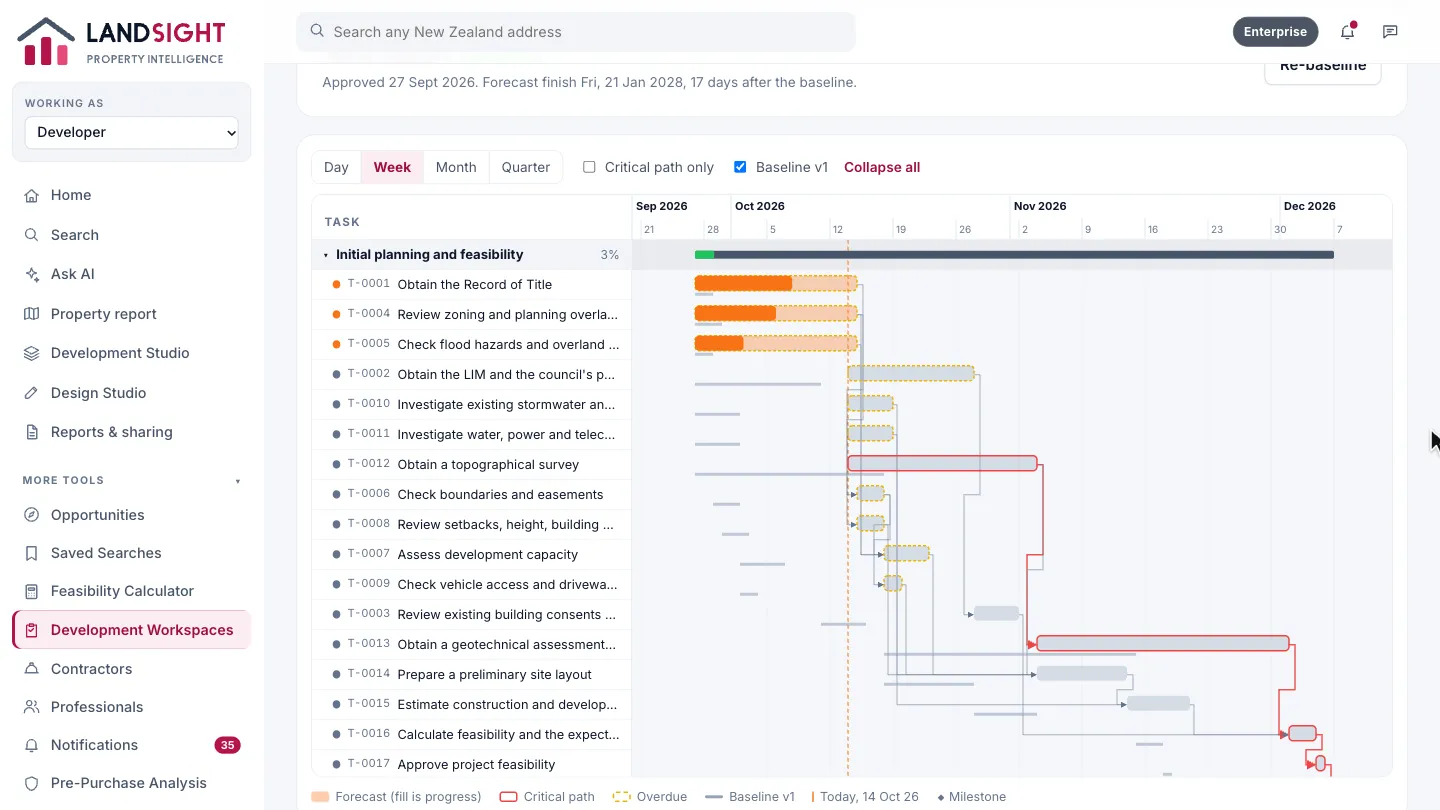
    Step 2: The timeline. Stages, tasks and their dependencies, against the approved baseline.
  3. Zoom

    See it by day, week, month or quarter.
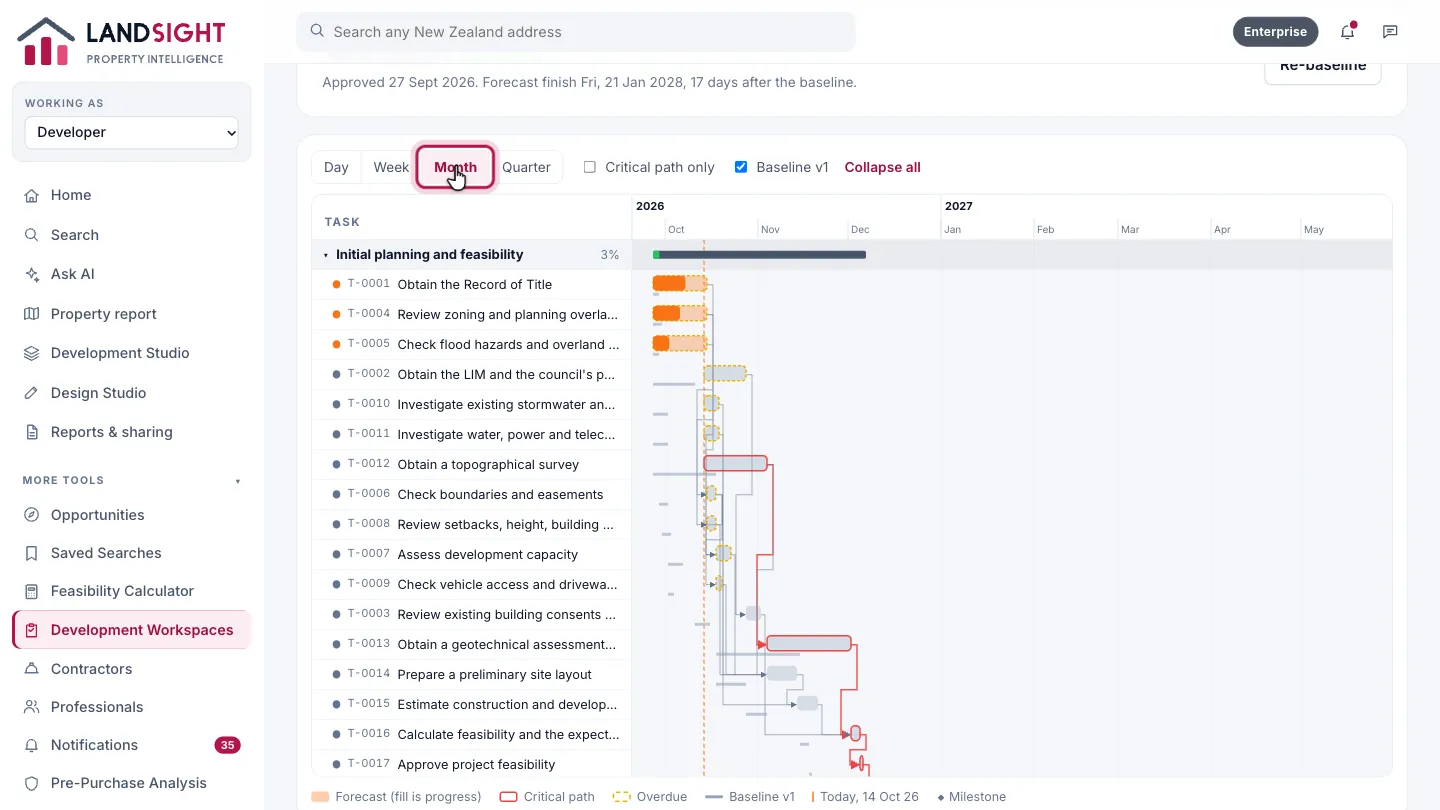
    Step 3: Zoom. See it by day, week, month or quarter.
  4. Critical path

    Choose Critical path only to see just the tasks that set the finish date.
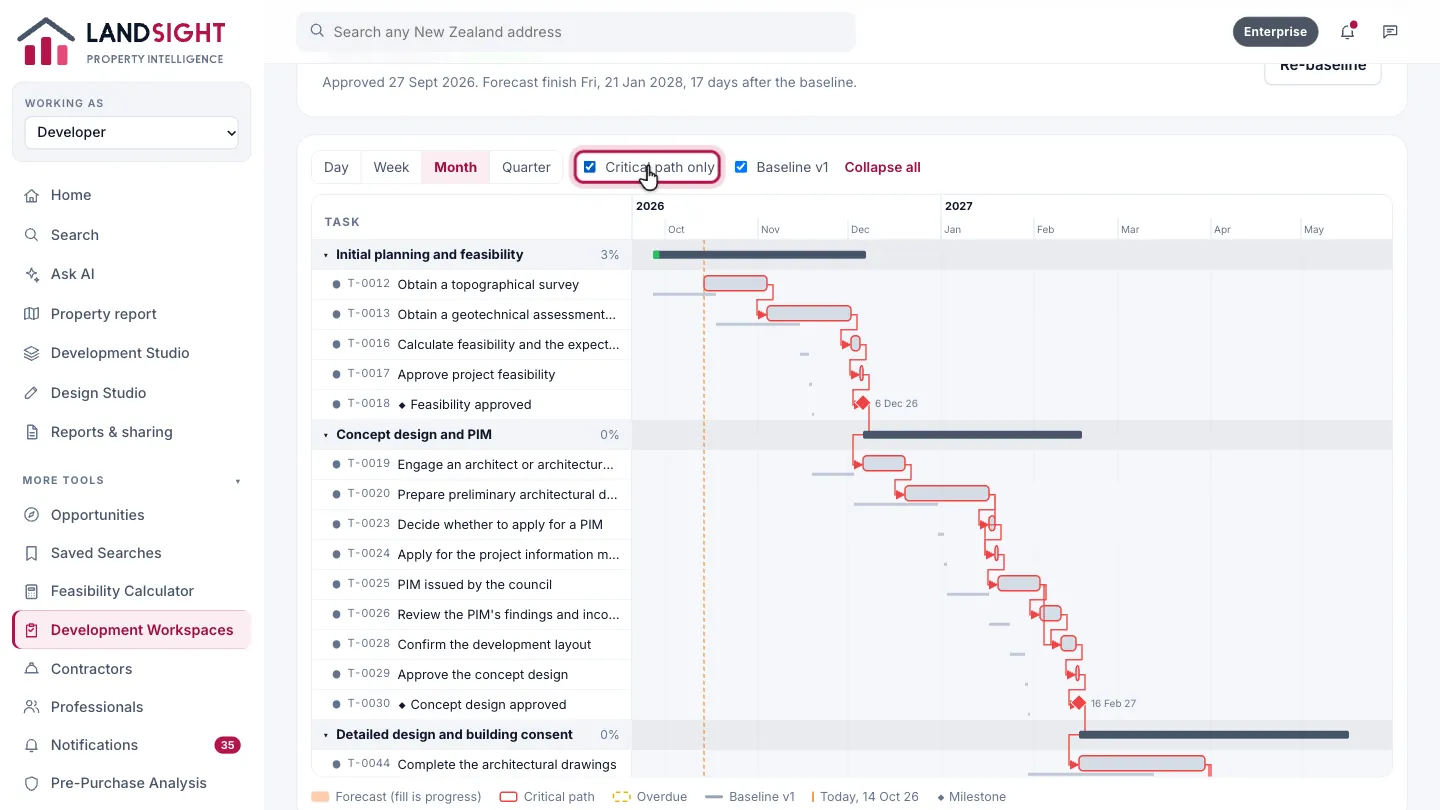
    Step 4: Critical path. Choose Critical path only to see just the tasks that set the finish date.
  5. Tasks

    Tasks carry their dates, owner and progress.
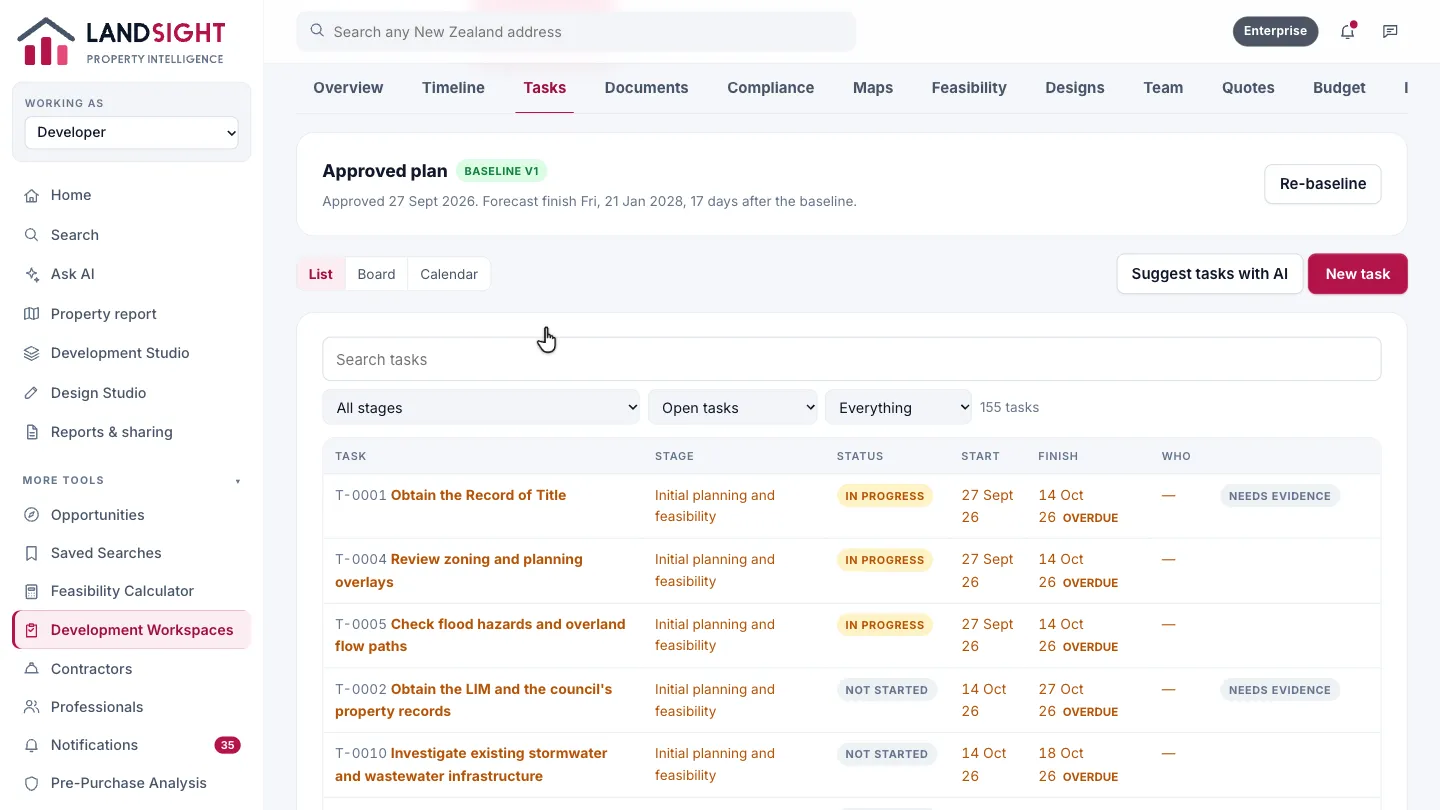
    Step 5: Tasks. Tasks carry their dates, owner and progress.
  6. Board

    The board groups the tasks by status.
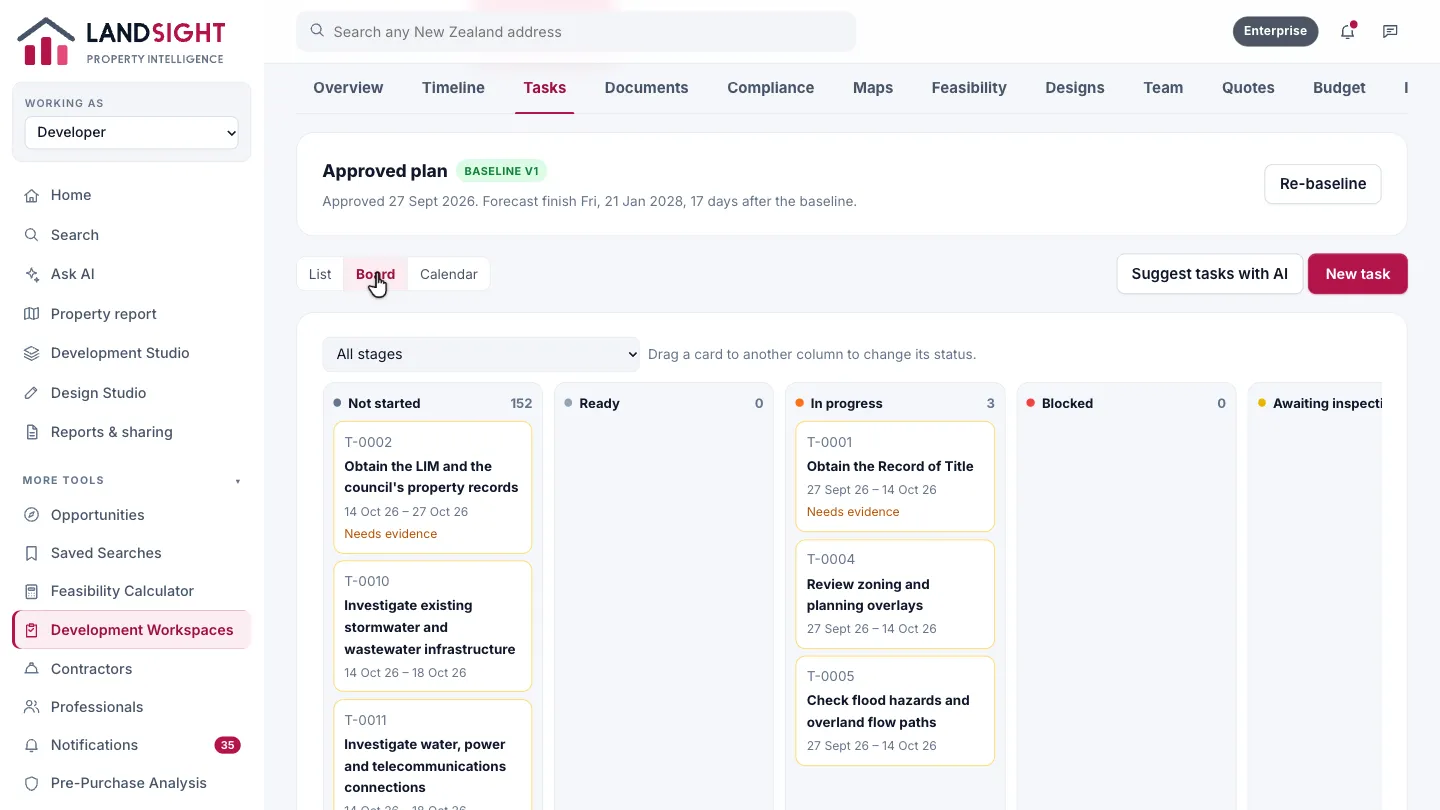
    Step 6: Board. The board groups the tasks by status.
  7. Calendar

    The calendar lays out the month ahead, task by task.
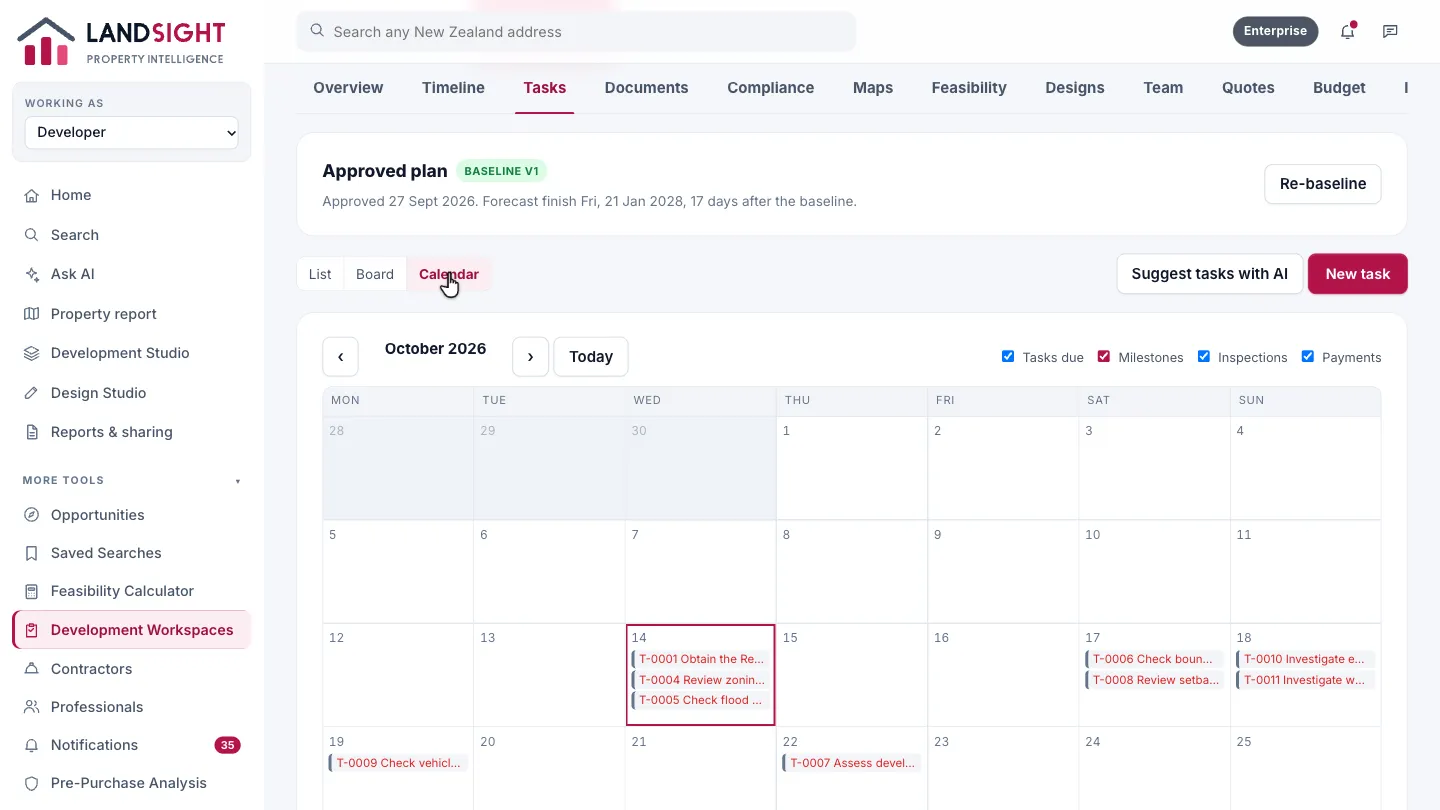
    Step 7: Calendar. The calendar lays out the month ahead, task by task.
  8. Compliance

    Compliance keeps the consents, the inspections and readiness for the code compliance certificate.
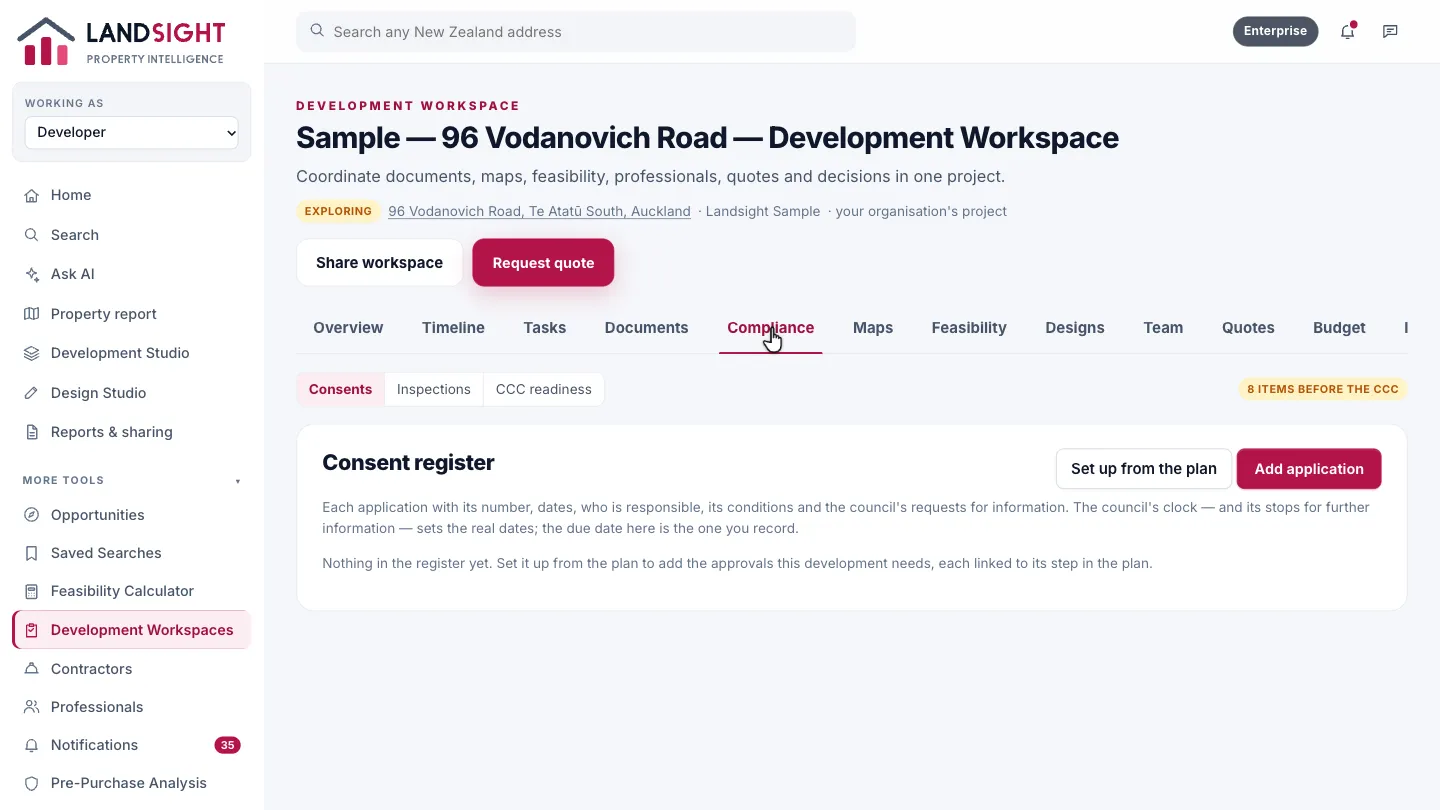
    Step 8: Compliance. Compliance keeps the consents, the inspections and readiness for the code compliance certificate.

Which plans have it

In Premium and Enterprise.

Compare the plans